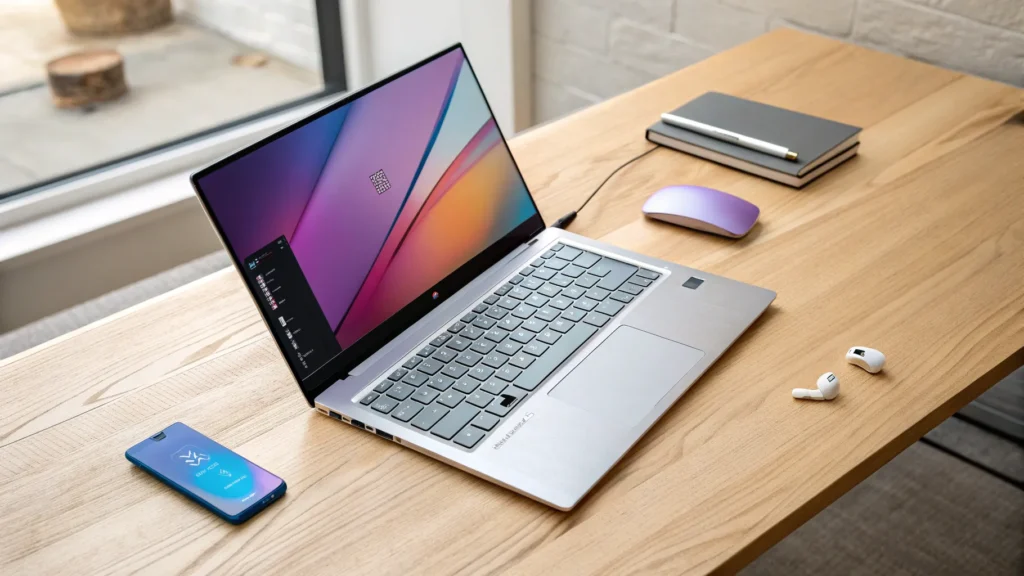

Hey — Brendan here from This is Tech Today. I put the ASUS VivoBook S15 (a Microsoft Copilot+ PC) through a month of real-world use so you can decide whether this is the “MacBook Air for Windows” you’ve been waiting for. It’s powered by Qualcomm’s new Snapdragon X Elite (ARM-based) processor and brings big wins — and some trade-offs — that matter for school, work, travel, and light creative tasks. Here’s the full breakdown.
Quick take
The VivoBook S15 is a thin, light Windows laptop with an excellent OLED display, long battery life, and efficient ARM performance thanks to Snapdragon X Elite. It nails everyday productivity and battery endurance, and it’s one of the most compelling Windows alternatives to the MacBook Air — but it’s not perfect: speakers, trackpad feel, and app/game compatibility are the main drawbacks.
“This laptop might be the Apple MacBook Air for Windows.”
Design, size, and build
The VivoBook S15 adopts a clean, minimalist aesthetic — no gamer bling, just a subdued wedge profile. It’s 0.63 inches thick and weighs about 3.13 pounds, making it easy to toss in a backpack without adding much bulk. The body is metal (it feels a little less rigid than a MacBook Air, with a bit of flex), the hinge is nicely balanced and passes a one-finger open test, and the lid can lay flat.
There’s a notch to open the laptop, ventilation on the bottom and back, and down-firing speaker grills on the underside. There’s also a physical privacy slider for the webcam tucked in the notch.
Ports and expandability
- 2 × USB-A 3.2 Gen 1
- 2 × USB-C 4.0 Gen 3 (power delivery + display out)
- 1 × full-size HDMI 2.1
- 1 × 3.5mm headphone jack
- 1 × microSD card slot (I would have preferred a full-size SD)
Charging via USB-C is great — the laptop ships with a 90W brick and you can use other USB-C chargers too (90W recommended for best results). The SSD (1TB) is replaceable, but the RAM (16GB LPDDR5X in my unit) is soldered and not user-upgradeable — choose your RAM at purchase.
Webcam and microphone
There’s a standard webcam with a physical privacy shutter. I tested voice quality in a quiet room and in a noisier, darker living-room situation with background TV. The laptop advertises AI noise cancellation — it helps, but performance will vary depending on background noise and conditions. Windows Hello face unlock is present and reliable — something I’m surprised Apple hasn’t universally brought to its laptops yet.
Keyboard and typing experience
The keyboard is one of the strong points: good travel, satisfying resistance, and comfortable spacing except for the squished number keys on the far right (a compromise to keep the form factor compact). There’s slight deck flex only noticeable if you push down hard.
The keys have a single-zone RGB backlight configurable via MyASUS, but the light mainly blooms around keys rather than shining through legends, which makes visibility in the dark less ideal. A personal nitpick: the key texture catches my fingernails and can feel a little like nails-on-chalkboard — small detail, but noticeable to some.
Trackpad and gestures
The trackpad is large, but it’s a wedge-style (diving-board) mechanism with a spongy click at the bottom corners — not my favorite. I prefer glass haptic trackpads like those on MacBooks. That said, ASUS implements clever gesture controls: slide the left edge to adjust volume, right edge to change brightness, top edge to scrub media, and swipe down from the top-right to open ASUS Screen Expert. Those gestures make good use of the big trackpad even if the click feel isn’t premium.
Speakers and sound
Speakers are Harman Kardon-branded but have a “boxy” tonal character — mid-heavy with limited low end and an honky quality at times. Lifting the machine off the desk helps the highs, and there’s a “volume boost” EQ toggle that brightens the sound but doesn’t actually increase perceived loudness. If you care deeply about laptop speaker fidelity, a MacBook still leads here. For casual listening, podcasts, and video calls they’re fine.
Display — a real highlight
This is where the VivoBook S15 shines. The 15.6-inch panel is 3K OLED, 600 nits peak, 120 Hz refresh, 0.2 ms response time, and covers 100% of DCI-P3 (you can switch color modes in MyASUS). That yields punchy colors, deep blacks, and excellent color accuracy — great for content consumption and decent for color-sensitive work like editing in DaVinci Resolve.
Limitations: the glossy OLED finish introduces reflections, brightness/contrast drop past ~45° viewing angle, and if you look very closely you might notice slight rainbow fringing around text — not noticeable in normal use but present on close inspection.
Performance, RAM, storage, and battery
Under the hood: Snapdragon X Elite with an Adreno GPU, 16GB LPDDR5X (non-upgradeable), and a 1TB SSD (replaceable). In everyday tasks this configuration is impressively smooth, quiet, and efficient. Battery life is a standout: expect around 13 hours in my real-world tests on the 70Wh battery — short of ASUS’s 18+ hour claim but comparable to what you’d get from a MacBook Air in real use.
Another advantage of Snapdragon X Elite: performance drops when unplugged are minimal compared to many x86 laptops, which commonly throttle heavily on battery. That means more consistent performance on the go.
Benchmarks and the ARM ecosystem reality
The Snapdragon X Elite is a powerful ARM chip and even includes a dedicated MPU for AI workloads (up to ~45 TOPS). Microsoft’s Prism translation/compatibility layer allows many x86 apps to run via emulation, but compatibility is still a work in progress — this is the chief caveat.
Some games won’t launch at all (examples include Star Wars Jedi: Fallen Order and Apex Legends at the time of testing). Others can run but only at low settings and modest frame rates — Cyberpunk 2077, Shadow of the Tomb Raider, and similar titles might hit ~30 fps on the lowest settings inconsistently. Casual and older titles (Stardew Valley, Minecraft, Ultimate Marvel vs. Capcom 3, Cities: Skylines) run perfectly fine. The translation layer and driver support will improve over time, but if you’re into AAA gaming today, this laptop isn’t for you.
Gaming thermals and fan noise
When pushing the machine with heavier games, fans ramp up — audible but not excessively loud in my testing. MyASUS lets you tweak fan profiles. Expect reasonable thermal behavior for a thin-and-light machine of this class, but don’t expect desktop-level sustained GPU performance.
Microsoft Copilot+PC and AI features
This is a Copilot+ PC, meaning a dedicated Copilot button and system-level AI features are baked in. The Snapdragon X Elite includes the dedicated MPU to accelerate AI tasks, which makes on-device AI functions snappier for things like summarization, research help, journaling, and even image generation. How useful Copilot will be depends on your workflow — personally I like quick assistive tasks and research summarization, but I’m curious to see how the ecosystem matures.
Where it wins and where it doesn’t
- Wins: OLED 3K 120Hz display, excellent battery life, thin/light design, Windows Hello, strong everyday performance and AI acceleration, USB-C charging and modern port selection.
- Loses or needs improvement: Trackpad feel, speaker quality, some build flex, and ARM app/gaming compatibility (still evolving).
Who should buy this?
Buy the VivoBook S15 if you want a premium-feeling Windows laptop with outstanding display and battery life, prioritize portability and daily productivity, and don’t rely on AAA Windows games or need a replaceable RAM upgrade. It’s especially compelling for students, content consumers, mobile professionals, and creators who value a bright, color-accurate OLED screen.
Who should skip this?
If you depend on specific x86-only applications or modern AAA gaming today, or you absolutely require the best laptop speakers and a glass haptic trackpad, this won’t be the best fit right now.
Final verdict
In many ways, the ASUS VivoBook S15 is the MacBook Air for Windows we’ve been waiting for: thin, light, great battery, and a stellar OLED display. It outpaces the MacBook Air in some hardware categories (display, Windows Hello), while Apple still leads in speaker and trackpad quality. The biggest open question is the ARM ecosystem: app and game compatibility will improve with time, but it’s a factor to weigh now.
If you want a stylish, efficient Windows laptop that lasts all day and looks fantastic while doing it, the VivoBook S15 is a very strong contender. If you need universal app compatibility or top-tier audio/trackpad feel, consider alternatives.
Disclosure
This review was produced after about a month of testing with a review sample provided by ASUS. ASUS provided the unit for review but did not influence editorial content. Portions of the original video were sponsored by Seahoo for a chair segment; that sponsorship supported the review but did not affect my honest assessment of the VivoBook S15.