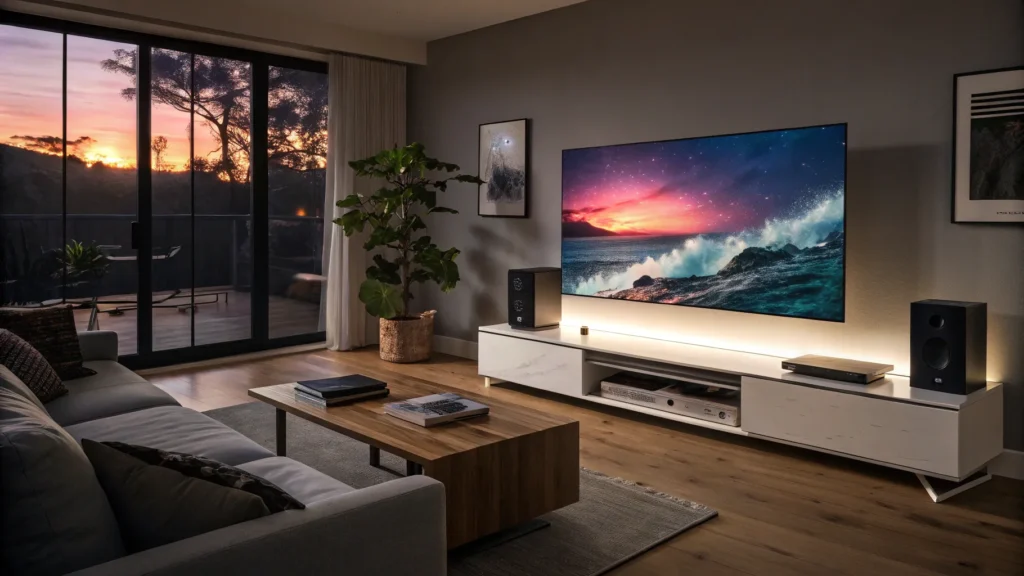

I’m Andrew Robinson. After spending weeks with LG’s new C5 OLED (I bought the 65-inch at retail), I can say this: the C5 is a compelling argument for why OLED still matters. It’s thin, well-built, supremely accurate out of the box, and a joy for both movie fans and gamers—provided you tweak a few settings. Here’s everything I learned while testing the C5 with Apple TV, a PS5, and a Canvas soundbar/stand.
In a nutshell: what the C5 brings to the table
- Sizes: 42″–83″
- Processor: Alpha 9 AI Processor 4K Gen 8
- Panel: Self-illuminating OLED pixels (no backlight or local dimming zones)
- Inputs: Four full HDMI 2.1 ports (great for consoles and streamers)
- HDR: Dolby Vision and other major HDR formats supported
- Gaming: Up to 144 Hz motion rates, excellent responsiveness
Design and build
The C5 is wafer-thin around the top and sides with a modest square protrusion on the rear that houses the hardware, speakers, and I/O. OLEDs are generally thinner and more delicate than LED TVs, so extra hands are helpful during installation—though I installed the 65-inch alone without issue.
I mounted the C5 on the Canvas All‑in‑One Soundbar stand (no adapters required), ran HDMI ARC/eARC between the TV and Canvas, and tucked the Apple TV and PS5 into the stand for a clean look. If you prefer streaming via WebOS, that’s available too, but I still prefer using an Apple TV and controlling the set via HDMI‑CEC.
Picture accuracy — out of the box and after calibration
Because each pixel in OLED is self‑illuminating, the C5 delivers absolute blacks and no blooming. That gives it the lifelike contrast OLEDs are known for. Color accuracy was a standout for me.
Using a colorimeter and calibration software, the C5’s out‑of‑the‑box energy‑saving profile was off (grayscale delta E ~17; color ~9), which is typical for eco modes. But the useful news is this:
- The Cinema profile: grayscale delta E ≈ 2.5, color delta E ≈ 1 — essentially factory-calibrated quality.
- The Filmmaker profile: even better — grayscale delta E ≈ 1.3, color delta E ≈ 1.
In both SDR and HDR/Dolby Vision content, those profiles produced near‑perfect color and grayscale readings. And yes—I purchased this set at retail, so these results reflect real-world consumer experience, not a cherry‑picked demo unit.
Brightness: peaks, sustainability, and real-world viewing
OLEDs have gotten brighter over the years, and the C5 is no exception. Peak brightness runs showed the C5 can hit about 1,000 nits in HDR—but only for very small areas and for a few seconds. The TV’s automatic brightness limiter (ABL) throttles peak output, and sustained full‑screen brightness will be lower.
More useful, real‑world numbers I observed:
- SDR sustainable brightness: roughly 600–700 nits
- HDR sustainable brightness: roughly 800–900 nits
Those levels are plenty bright for dark rooms and many living rooms with controllable lighting. If your setup faces large windows with uncontrolled daylight, OLED may not be ideal—but in most rooms where you can manage some ambient light, the C5 is more than usable and keeps color and contrast well off‑axis.
AI processing: powerful, but too aggressive by default
LG’s Alpha 9 Gen 8 brings the now‑common AI processing features for upscaling and enhancement. In practice, some of these AI aids go too far. With all enhancements enabled I saw:
- Overly smooth, waxy skin tones on faces (example: Mission: Impossible III at 1080p)
- Cartoonish simplification of foliage and backgrounds
- Unnatural outlines/artifacts on reality TV (example: Selling Sunset), plus motion that felt less fluid
My recommendation: turn the AI enhancement features off and keep sharpness, noise reduction, and other compression fixes at low or off. That restored natural film grain, correct skin texture, and improved motion and artifact handling. In short: the C5’s processing can be transformative—but use restraint.
Gaming on the C5
The C5 sensed my PS5 and jumped into its Game profile with a helpful Quick Menu. Performance was excellent:
- Zero perceptible input lag or stutter on PS5
- Smooth whip pans and motion handling — in some cases looking smoother than our reference TCL QM7K
- Supports up to 144 Hz for compatible sources
Dark scenes held contrast and detail well. As always with OLED, controlling ambient light helps keep action readable—positioning the TV opposite a bright window can make fast action harder to follow.
Sound, WebOS, and usability notes
The built‑in speakers are fine for casual viewing but not best‑in‑class. If you want a fuller, cinematic soundstage I recommend budgeting for a soundbar (Sonos Arc Ultra, Canvas, or something higher up the range like the Biosoundstage).
WebOS (and the Magic Remote) are fine but feel clunkier and less intuitive than competitors’ interfaces. I personally prefer using an Apple TV to avoid the tricks and extra clicks of the on‑screen menus. Also be prepared to dig through settings to turn off notifications and promotional prompts if you find those annoying—LG’s UI can be chatty by default.
How the C5 compares: C2, B4, Sony A95L/A95K, and the G5
Compared to the older C2, the C5 sports a clear design and build improvement. Against the B4 (LG’s more budget entry), the C5 is superior in build quality, brightness, and picture fidelity. The B4 still represents great value for secondary rooms where space and budget matter, but for a primary TV the C5 is a noticeable step up.
Against Sony:
- I found the C5 beat the Sony A95L in out‑of‑the‑box accuracy when I reviewed them (the A95L was excellent, but the C5 measured even better in my tests).
- The C5 edges the A95L slightly on sustained brightness across a broader range of real‑world content.
- Compared to my household A95K in the bedroom, the C5 made me seriously consider switching—it’s that good.
Will the G5 be better? Likely. I had the option to buy the G5 but the C5 matched my wants, needs, and budget—so the C5 is the one I chose.
What to watch out for
- AI enhancement defaults: turn them down/off for the most filmic results
- Brightness in very bright rooms: not the best fit if you cannot control daylight
- Speakers: plan on a soundbar for a richer audio experience
- WebOS and UI prompts: expect to tweak settings to remove notifications and ads
“The only person who has to like the sound—or in this case, sight—of your system or your television, is you.”
Final verdict
The LG C5 OLED is an easy recommendation for anyone wanting a primary TV that excels at movies and gaming. Its factory color accuracy is among the best I’ve measured, HDR performance is very strong, and the gaming experience is top‑tier. The caveats—overzealous AI processing by default, internal speakers that are okay but not great, and limitations in very bright rooms—are easy to manage or accept for most buyers.
If you want a high‑quality OLED that doesn’t force you into the expensive G‑series, the C5 is a balanced, well‑rounded choice that won me over.
If there’s anything I missed or you want a deeper dive on calibration settings, gaming latency metrics, or soundbar pairings, ask below and I might cover it in a follow‑up.